

GPT Image 2
FeaturedPrecise prompt following for polished image creation and useful edits.

Compare GPT Image 2 workflows with photographic, illustrative, reference-led, and fast ideation directions.
Precise prompt following for polished image creation and useful edits.
Explore visual directions quickly before refining the strongest concept.
Transform a reference while keeping the important subject and composition.
Build clear image variations from short prompts and visual references.
Develop detailed campaign, product, and character imagery at larger sizes.
Create richly composed scenes with controlled atmosphere and materials.
Shape natural-looking photography with readable light and depth.
Create graphic assets, illustrations, and clean brand-ready compositions.
Plan poster and campaign compositions where layout matters.
Move between photographic, illustrative, and concept-art directions.
Explore adaptable image styles and controlled creative iterations.
Translate structured prompts into detailed scenes and visual concepts.
Generate quick visual drafts for thumbnails, boards, and social concepts.
Create expressive illustration, environment, and character directions.
Use visual references to preserve useful identity and scene decisions.
Compose practical commercial visuals for product and marketing work.
Try bold styles, colors, and compositions for early ideation.
Develop atmospheric images with deliberate color and lighting.
Explore warm portrait and lifestyle imagery with natural detail.
Build cinematic scenes with strong spatial and lighting cues.
Create clean marketing concepts with clear focal hierarchy.
Visualize imaginative worlds, props, and narrative environments.
Turn a product brief into catalog, lifestyle, and campaign scenes.
Plan profile, editorial, and character imagery from one workspace.
Start from a still image, then preview subtle motion that reveals how a product, portrait, room, or campaign direction can feel in context.
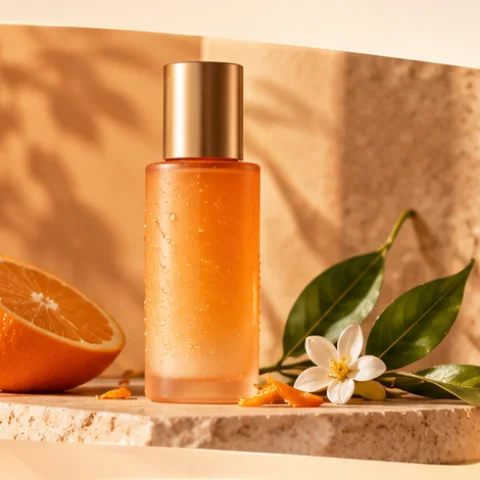
Warm studio light, clean surfaces, and a clear product focal point.
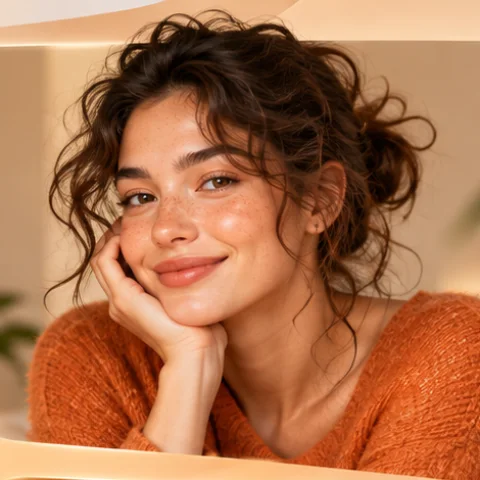
Natural skin detail, soft light, and a confident editorial frame.
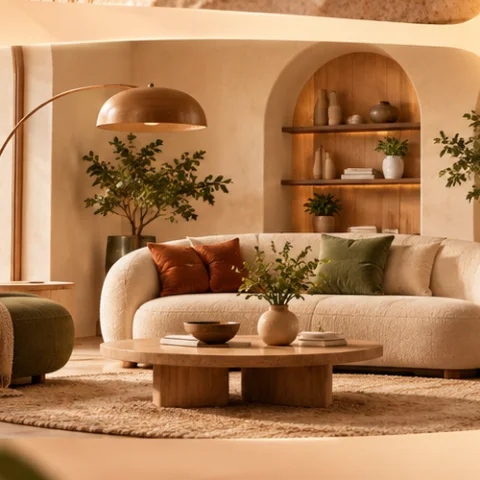
Rounded furniture, daylight, and tactile materials for room concepts.
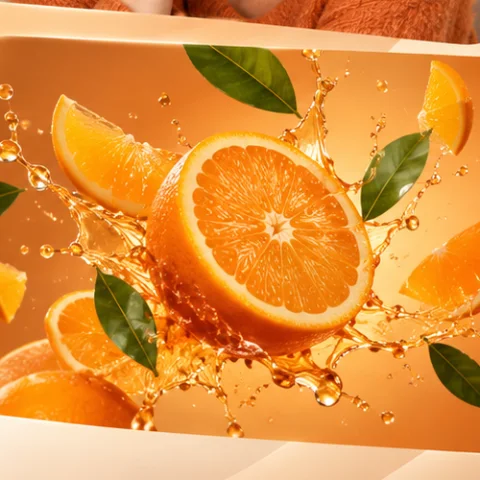
High-energy liquid motion for a bright campaign-ready key visual.
A restrained product setup for ecommerce and launch pages.
Friendly creator imagery for profiles, stories, and brand pages.
A useful interior direction for furniture, decor, and property ideas.
A vivid square visual made for ads, posts, and campaign variations.
Obra AI image studio
Turn a prompt or visual reference into purposeful product photography, portraits, interiors, campaign creative, and connected image variations.
Start an image briefEach path keeps its complete explanation in the page while the tabs make the workspace easier to scan.
Describe the subject, setting, light, lens, palette, and purpose. GPT Image 2 turns that structured brief into a visual direction you can compare and refine.
Try this workflowAdd a reference when identity, composition, or product shape matters. Tell the model what must stay fixed and what should change.
Try this workflowMove from a packshot to warm catalog, lifestyle, and campaign scenes while keeping the product as the visual priority.
Try this workflowReuse the strongest subject, palette, and framing decisions across a family of images for one launch or story.
Try this workflowBrowse 32 focused workflows for product, portrait, marketing, interior, design, restoration, and visual storytelling tasks.
Each capability connects generation choices to a real creative decision instead of treating every image as an isolated experiment.
Start with the reason the image exists, then describe the subject, environment, composition, light, material, and mood. This gives the AI image generator a hierarchy instead of a loose bag of adjectives and produces a first result that is easier to judge.
Write a better image promptReference-guided image editing is most useful when the instruction separates invariants from changes. Preserve the person, product, room, or camera angle; then ask GPT Image 2 to replace only the background, lighting, palette, or supporting objects.
Control image editsA product visual should reveal shape, material, scale, and context. Create catalog, lifestyle, banner, and social versions from one brief while leaving deliberate space for headlines, pricing, or interface controls.
Create product scenesSave the strongest prompt decisions and reuse a consistent subject, light, color family, and framing rule. A connected image system makes a campaign feel intentional across landing pages, ads, email, social posts, and presentations.
Plan a visual systemChoose the audience, placement, aspect ratio, and outcome before writing the visual prompt.
Order the subject, action, setting, composition, light, palette, and material details.
Use GPT Image 2 for prompt-led generation and edits, then compare alternatives when the brief needs another strength.
Judge focal clarity, identity, artifacts, crop safety, and usefulness in the intended placement.
Choose the placement first, then make the image answer that job.
Create catalog, detail, lifestyle, and seasonal product scenes without losing the item’s visual priority.
Build square and vertical concepts for announcements, promotions, launches, and evergreen content.
Explore profile, interview, lifestyle, and character imagery with a clear lighting and framing direction.
Compare furniture, materials, palette, and daylight decisions before a space is produced or photographed.
Collect connected imagery for mood, color, material, photography, and campaign discussions.
Visualize people, props, settings, and key moments while keeping narrative decisions connected.
The strongest part is being able to define the placement first. My prompts become shorter, but the generated image is more useful because composition and crop safety are already part of the brief.
Product Studio makes it easy to compare a clean catalog frame with a warmer campaign direction without losing sight of the actual item we need to sell.
The model library helps me choose a workflow by outcome instead of guessing from a model name. I can move from social concepts to a presentation visual in the same page.
Reference-guided editing gives reviews a clear language: preserve the subject, change the setting, and keep the output aligned with the approved visual system.
Understand GPT Image 2, prompting, references, formats, review, and mobile use before creating.
An AI image generator turns a written prompt, reference image, or editing instruction into a new visual result. Obra AI organizes the prompt, model, aspect ratio, reference, and output settings in one browser workspace so the result can be reviewed against a real creative purpose.
GPT Image 2 supports prompt-led image creation and controlled editing workflows. It is useful when you need readable prompt adherence, product scenes, portraits, campaign concepts, visual variations, or a specific change to an existing reference.
Lead with the image purpose and main subject. Then add action, setting, composition, camera or viewpoint, lighting, palette, material details, and constraints. Keep the most important decisions early and state what must not change during an edit.
Yes. A reference can guide subject identity, product shape, room composition, palette, or overall visual direction. Pair it with a precise instruction that separates preserved details from requested changes.
Use 1:1 for flexible square creative, 4:5 for feed-first portrait posts, 9:16 for vertical stories, and 16:9 for banners, presentations, and wide website media. Choose the placement before generating.
Yes. Product prompts work best when they specify the item, material, surface, background, light direction, camera distance, and intended placement. Review packaging accuracy and fine details before publishing.
Reuse a clear reference and stable descriptions for face, hair, clothing, proportions, palette, and environment. Make one change at a time and preserve the prompt decisions that produced the strongest version.
Inspect faces, hands, text, logos, product details, reflections, shadows, edges, and crop safety. Confirm that you have the rights needed for source material and that the result is suitable for the intended audience and placement.
Obra AI accelerates concept creation and targeted edits. Detailed retouching, typography, color finishing, layout, prepress, and delivery may still benefit from conventional design and photo-editing tools.
The page is responsive on phones and tablets. The controls stack above the preview, model and tool cards become touch-friendly, and motion previews use explicit play controls instead of hover.